How-To
Commodities are the grain types (corn, soybeans, canola, etc.) used throughout Binstor, in Storage, Fields, Contracts, and Budgets.
Add a Commodity
-
Go to Commodities and click Add New Commodity.

-
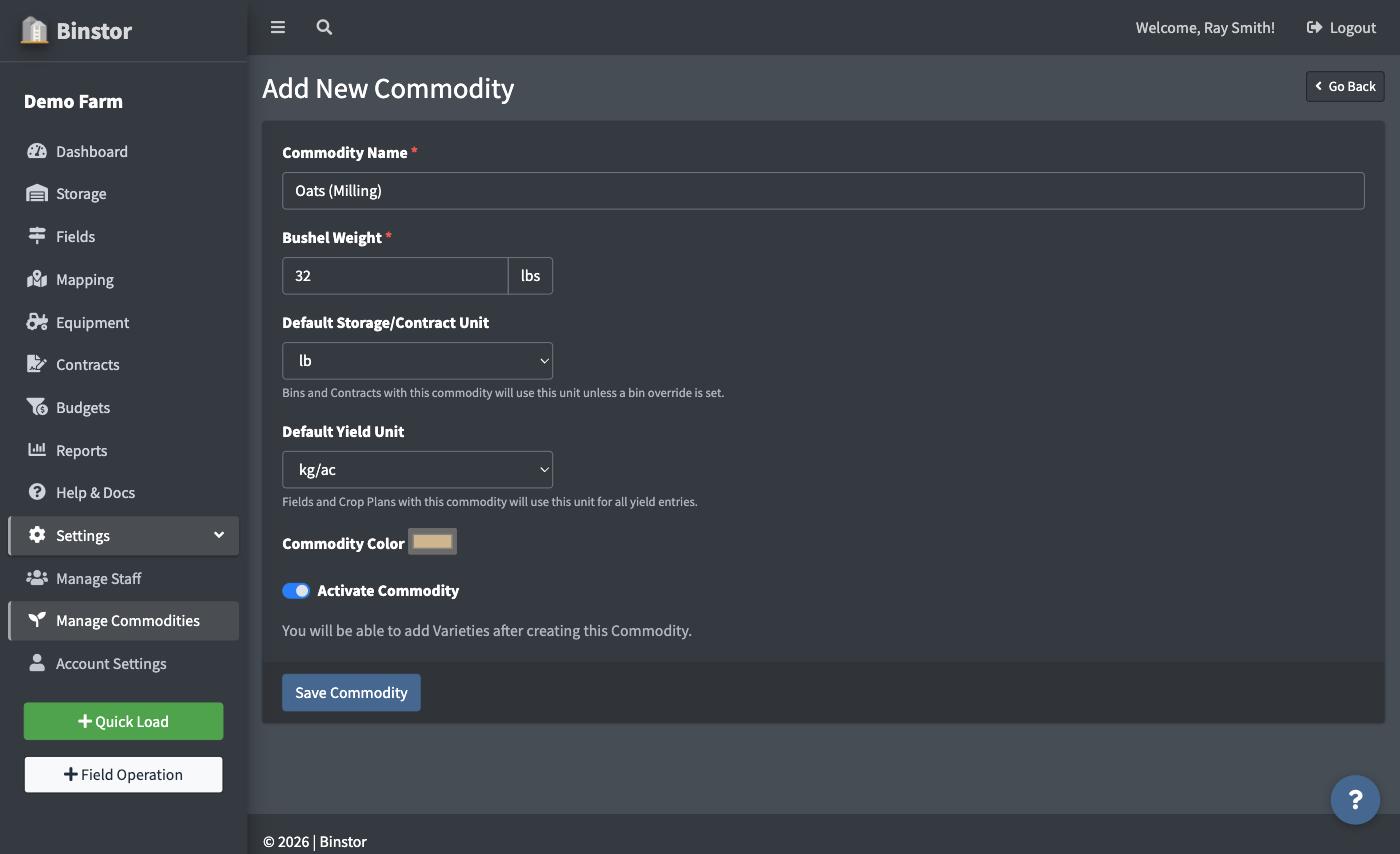
Enter a name and its Bushel Weight (in lbs). Binstor uses this to convert the commodity's quantities between bushels, metric tons (MT), short tons (ST), kilograms, hundredweight (cwt), and pounds anywhere it's shown.
-
Set the commodity's two default units, then pick a color (used to distinguish it on charts and the Map).
- Default Storage/Contract Unit: what Bins, Loads, and a Contract's Amount Sold and Price show in, unless a specific Bin has its own override.
- Default Yield Unit: what Fields and Crop Plan's Yield entries show in.
These are independent. A commodity can store in bushels while its budgeted yield is tracked in lb/ac, for example. Both stay locked to bushels until a Bushel Weight is entered above.
-
Save.

You can also create a new commodity on the fly while logging a load or setting up a field, without leaving that screen.
Deactivating a Commodity
There's no delete for commodities; toggle Activate Commodity off instead. This hides it from new selections without affecting historical records that already use it. A Bin that still holds a deactivated commodity keeps it, so you can keep loading and unloading that Bin, and older Field Operations can still be edited with the commodity they were recorded with.
FAQ
Why can't I see the "Add New Commodity" button?
You need the Manage Commodities permission. Viewing the Commodities list itself doesn't require any special permission, but adding or editing does.
I changed a commodity's Bushel Weight. Will it affect existing loads or contracts?
Bushel Weight feeds unit conversions across the app, so change it carefully once you have real history on a commodity. If numbers look different after an edit, that's the first thing to check.
What's the difference between the Storage/Contract Unit and the Yield Unit?
They're separate settings for the same commodity, so you can mix them: store in bushels but budget yield in lb/ac, for example. Changing one never touches the other. Either is just a default, too: on a Contract or a Crop Plan line, you can still switch that one entry's own unit dropdown without changing what the commodity defaults to next time.