How-To
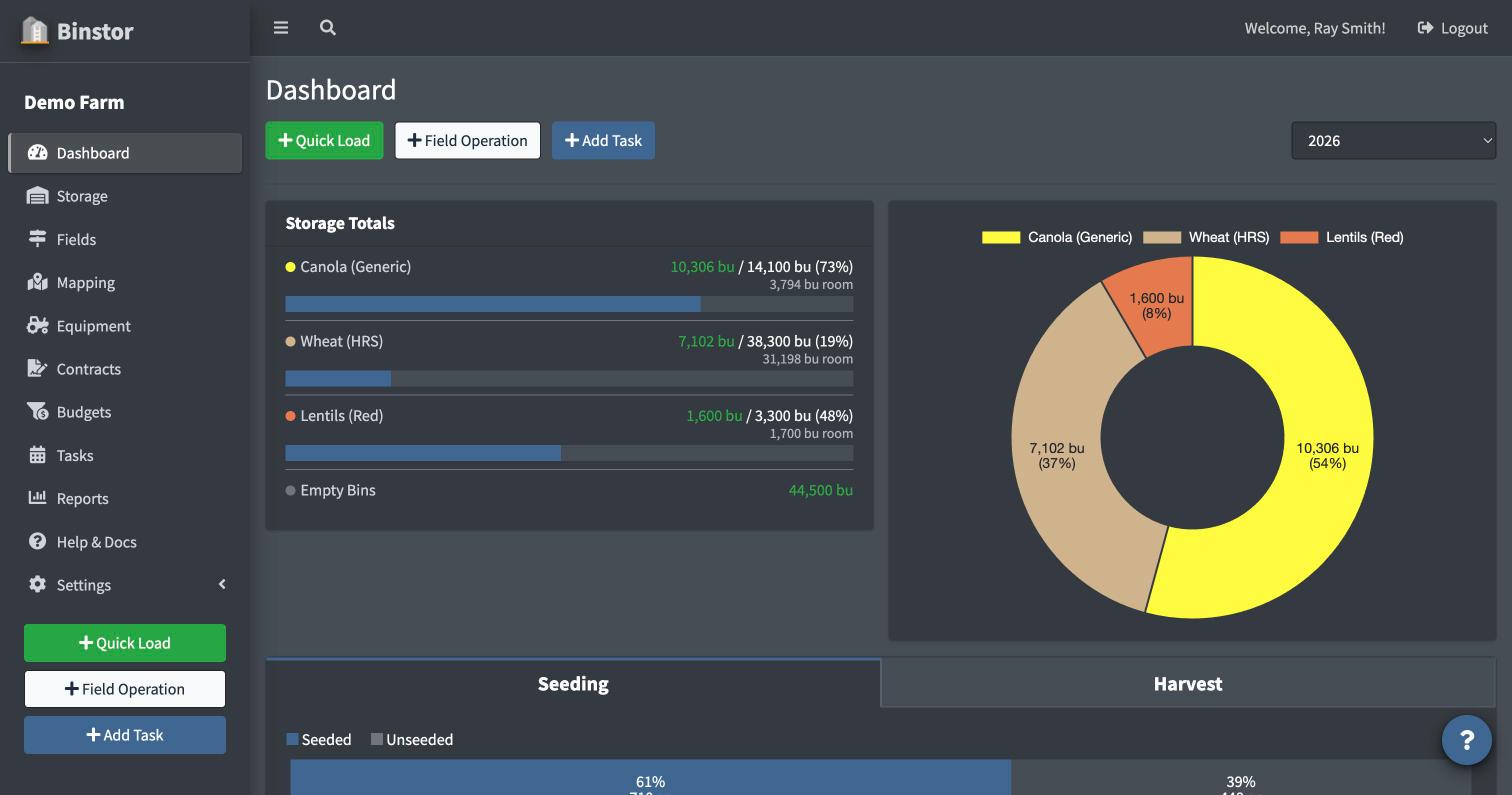
Your Dashboard is the first thing you see after logging in, and pulls together a snapshot of your whole operation:
-
Storage Totals: a chart of what's currently in your bins, by commodity, with the room left in bins holding it. Empty Bins shows the total unused space in bins with nothing in them. This is a live, current total, not scoped to a crop year (see the FAQ below).
-
Seeding/Harvest Progress: how your logged Field Operations compare to your total field acres for the selected crop year (only shown if you have Fields access).

-
Contracts: your open contracts for the selected crop year, grouped by commodity (only shown if you have Contracts access).
-
Crop Plan / Profitability: a quick look at your budgeted numbers for the selected crop year (only shown if you have Budgets access).

-
Recent Loads and Recent Field Operations: quick activity feeds.

-
Equipment & Maintenance: equipment count plus upcoming and recent maintenance (only shown if you have Equipment access).

Until you've added data, each section shows its own "Get Started" prompt instead of a blank chart. Yards & Bins first, then Fields, then Equipment, guides you through initial setup in a natural order.
There's also a quick search in the top navigation bar: type 2+ characters to search across Yards, Bins, Fields, and Equipment by name from anywhere in the app.

FAQ
My dashboard looks mostly empty. Is something broken?
Probably not. Each section (Storage, Fields, Contracts, Budgets, Equipment) only shows if you have view access to that area. If you're a staff account and several sections are missing, ask your farm's owner to check your permissions under Staff.
Why didn't my Storage numbers change after I switched crop years?
Storage Totals reflect what's currently in your bins right now, not a per-year snapshot, so they don't change based on the crop year selector. Contracts and Crop Plan/Profitability are scoped to the selected year, so those will change; Storage Totals won't.
Quick search didn't find something I know exists.
Quick search respects the same view permissions and Yard/Field/Equipment restrictions as the rest of the app: if you can't normally see an item on its own list page, it won't show up in quick search either.