How-To
Use this when grain leaving a bin is going toward fulfilling one of your open Contracts, so the delivery is tracked against that Contract's remaining balance automatically instead of being logged as two separate, disconnected records.
Deliver a Load to a Contract
-
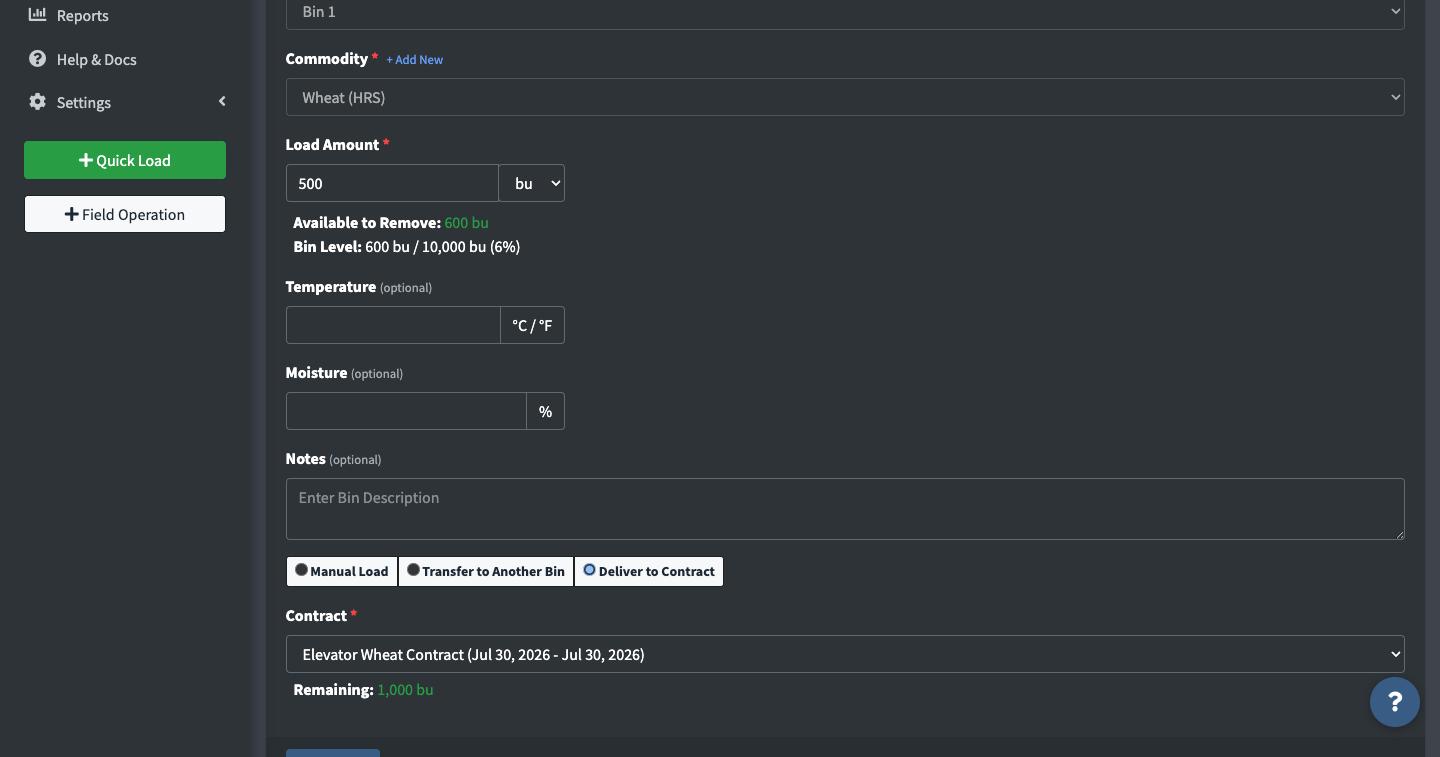
From a Bin, click Load In/Out, choose Load OUT, then select Deliver to Contract.

-
Pick the Contract from the dropdown. Only Contracts matching the bin's commodity are shown. Its Remaining balance shows right there once selected, so you can see how much is left to deliver without leaving this form.
-
Enter the quantity being delivered. Load Amount has its own unit dropdown (bu, MT, ST, kg, cwt, or lb), same as any other Load.
-
Save. Binstor records the Load OUT from the bin, applies that quantity against the Contract's remaining balance, and adds a note on the bin noting which Contract it went to.

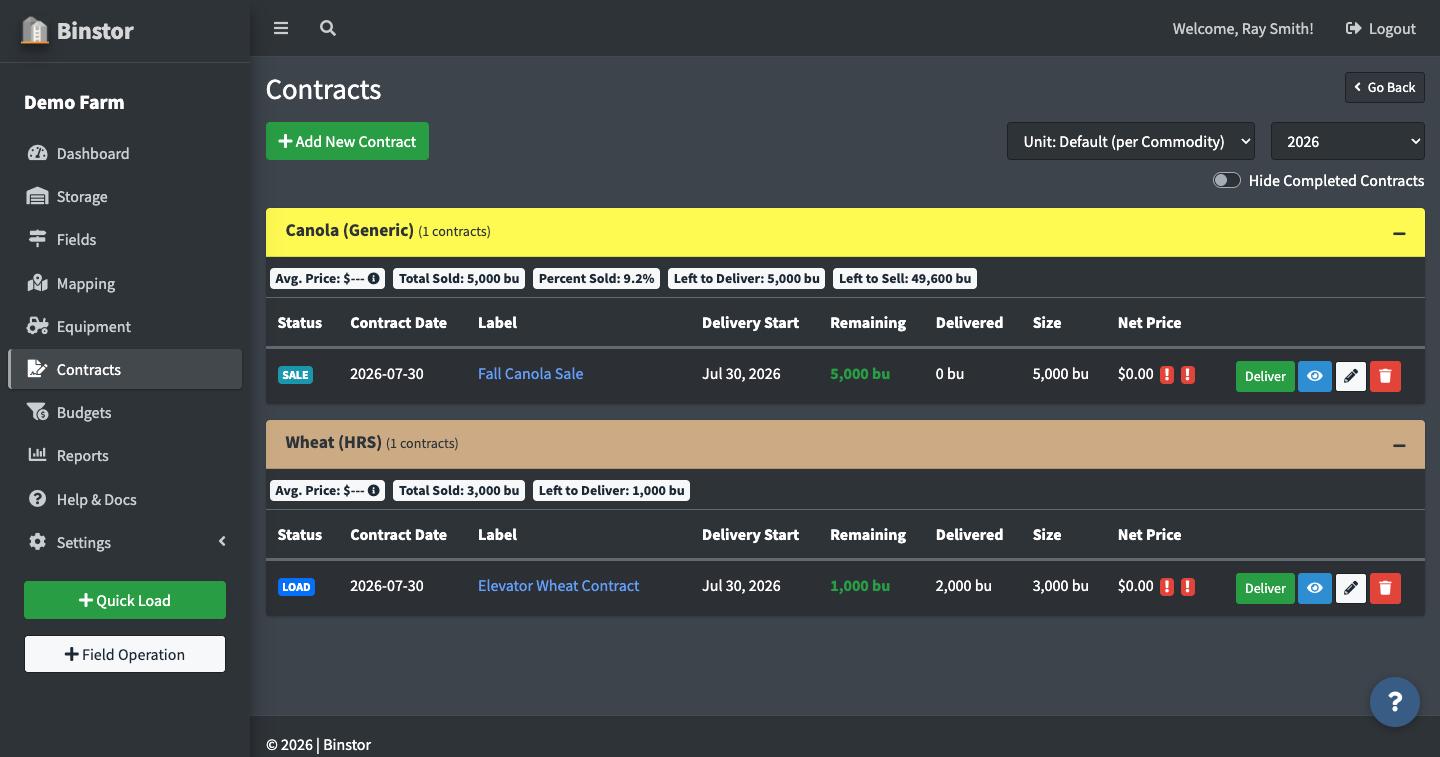
Editing a delivery: open the Contract from the list and use the pencil icon next to any delivery in its Loads table to change its date, amount, or reference number. If that delivery came from a Bin, changing the amount also updates the bin's underlying Load OUT record to match, so editing a Contract delivery can change your Storage numbers too, not just the Contract's balance. A change that would leave the bin below empty isn't allowed, and deliveries from before the bin switched to a different commodity can no longer be edited.

Manual Load (grain not in a tracked bin)
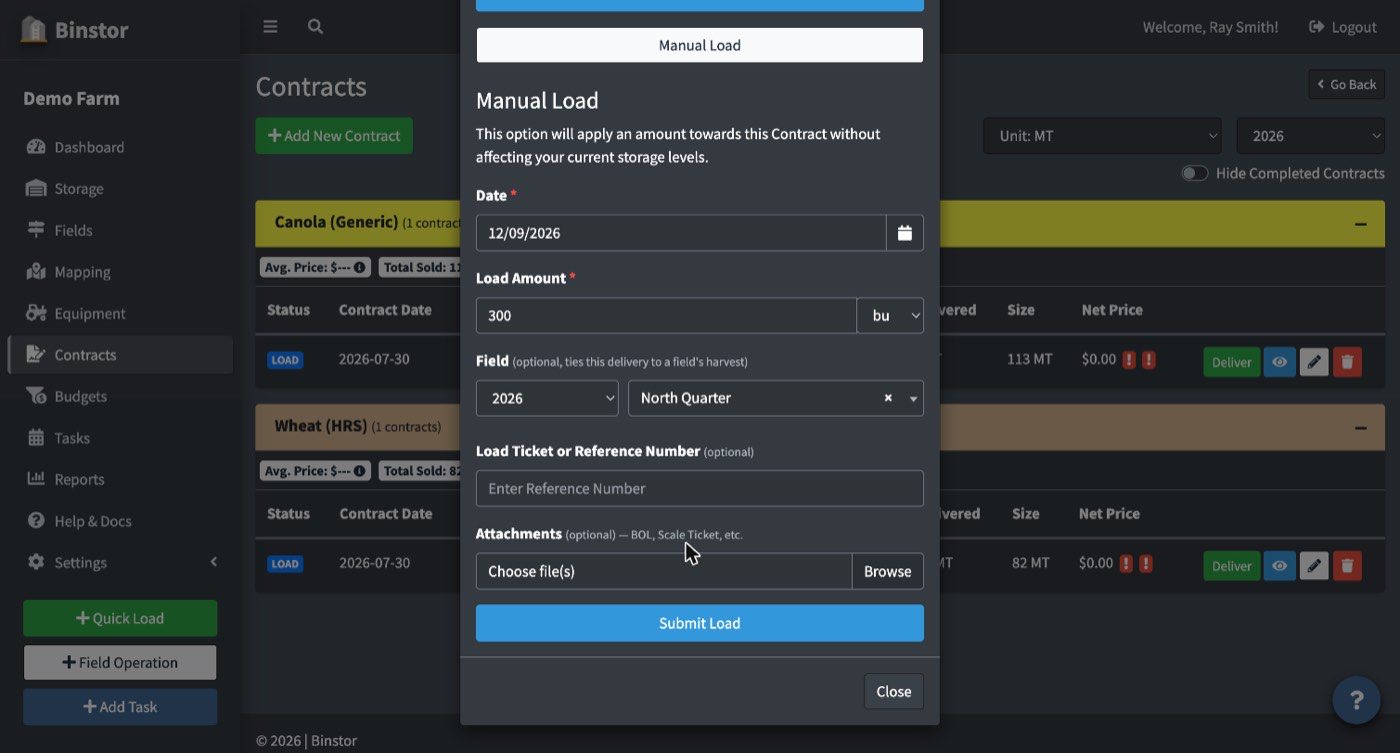
If grain never went through Binstor's Storage tracking, click Deliver on the Contract itself and choose Manual Load instead of Deliver from Bin. Since the commodity's already fixed to the Contract's own, this just asks for the date, amount, and an optional Field tag (pick the crop year and Field it came from) so the Production vs Storage Reconciliation report can still count it against that Field's harvest, the same as Adding a Load's Field tag does.
FAQ
Why don't I see "Deliver to Contract" as an option on Add Load?
You need the View Contracts and Deliver Loads permissions, separate from general Manage Loads access, so a staff account can be allowed to deliver against Contracts without full load-management access, or vice versa.
Why don't I see any Contracts in the dropdown?
Only open Contracts matching the bin's current commodity are listed. If none exist yet, create one first under Contracts.
What if I have grain to deliver but it isn't in a Contract-tracked bin yet?
See Manual Load above.
What if I deliver more than the bin holds?
Binstor asks you to confirm, then empties the bin and delivers only what was in it to the Contract.
What happens if I delete a delivery?
If it came from a Bin, deleting it puts that quantity back into the bin's current total (undoing the original Load OUT) and reduces the Contract's delivered amount to match. It's a full undo, not just a Contract-side adjustment. If the Bin has since switched to a different commodity, the delivery is removed but its Bin load stays in the Bin's history, and Binstor tells you so.
Can I deliver more than the Contract's remaining balance?
Yes, Binstor doesn't block it. Remaining just clamps to 0 on screen and the Contract is marked Complete once delivered reaches or exceeds the sold amount, even if you technically over-delivered.