How-To
Use this instead of manually recording a Load OUT from one bin and a matching Load IN on another. A transfer does both in a single step and keeps the two records linked.
-
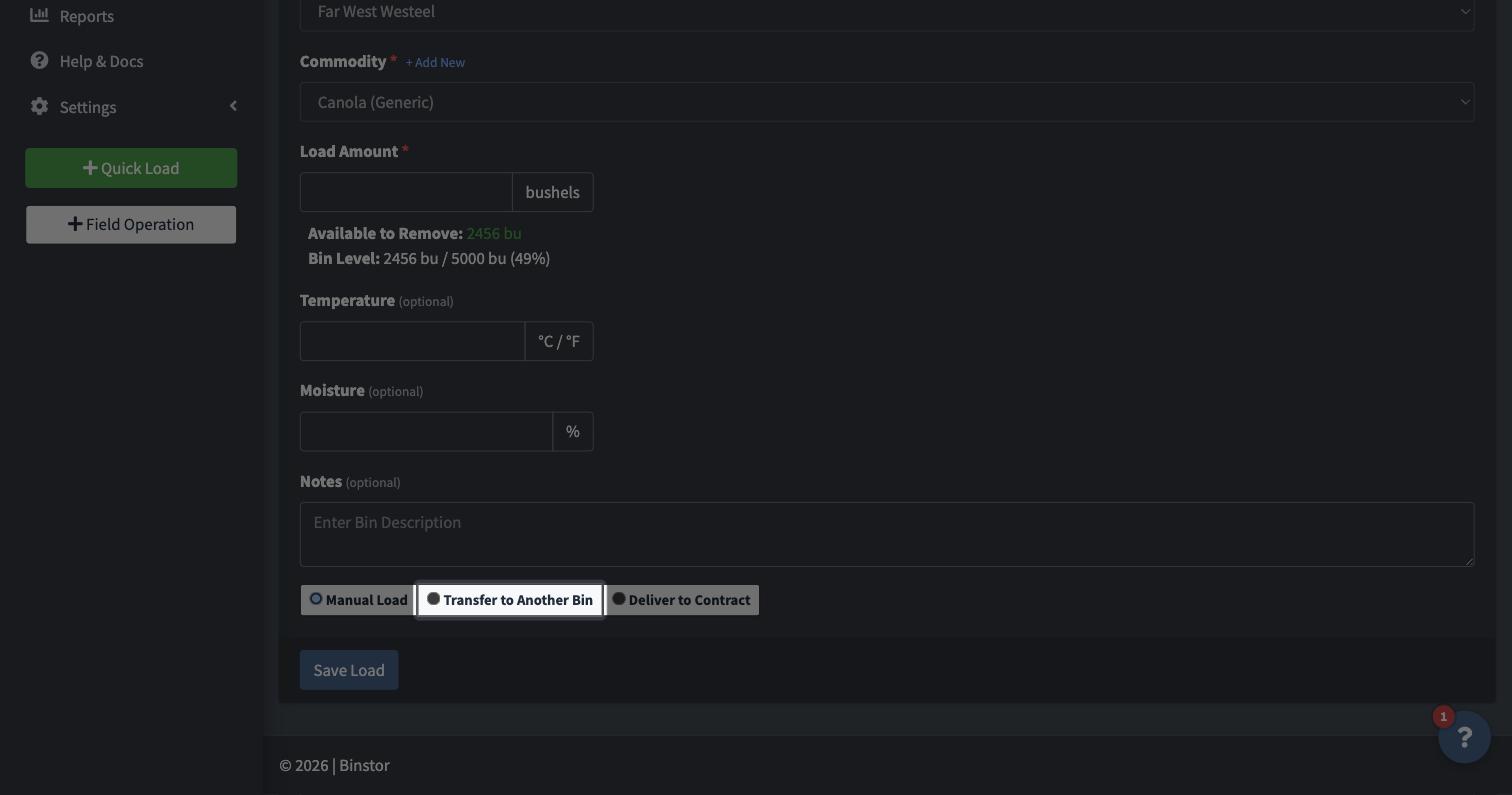
From a Bin, click Load In/Out, choose Load OUT, then select Transfer to Another Bin.
-
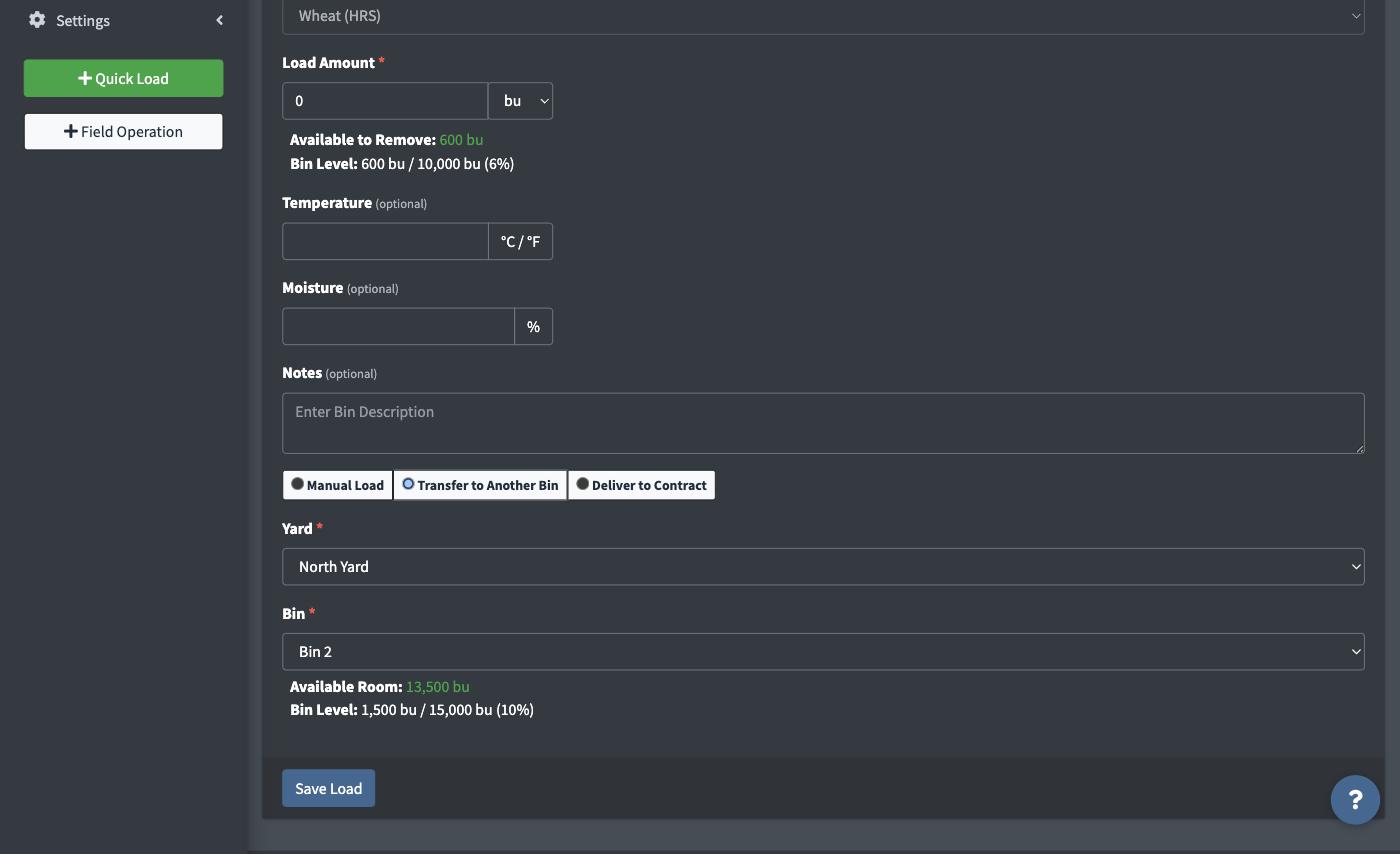
Pick the destination Yard, then the destination Bin from the dropdown that appears. Only bins in that Yard holding the same commodity (or empty bins) are offered as valid destinations.

-
Enter the quantity being moved. Once a destination Bin is picked, its own Available Room and current level show right there on the form, so you don't have to flip over to that bin's own page to check it has space first.
-
Save. Binstor records a Load OUT from the source bin and a matching Load IN on the destination bin, both noting the transfer.


FAQ
Why don't I see a bin I expected in the destination list?
The destination list only shows bins in the selected destination Yard that can actually receive this commodity. A bin already holding a different commodity won't be offered, and bins in other Yards won't show until you pick that Yard first.
Does a transfer affect any Contracts?
No, transferring is purely internal to your Storage records. If the grain is meant to fulfill a Contract, use Deliver to Contract instead (or in addition, from the destination bin afterward).
Can I tag a transfer to a Field?
No, the optional Field tag (see Adding a Load (In & Out)) only appears on a Load IN that's actually bringing grain into storage for the first time. A transfer just moves grain you're already tracking between bins, so it isn't a harvest event and never carries a Field tag, regardless of what the original Load IN it came from was tagged to.
What happens if I edit or delete a transfer?
Both sides stay linked. Editing the amount on either bin updates the matching load in the other bin, and deleting one deletes the other. Binstor asks you to confirm first, and won't allow a change that would leave either bin below empty or that touches a bin that has since switched to a different commodity.
What if I transfer more than the source bin holds?
Binstor asks you to confirm, then moves only what's in the bin so it ends up exactly empty.
Why can't I transfer a load?
You need the Manage Loads permission, same as adding any Load.