How-To
Add a Bin
-
Open a Yard and click Add New Bin.

-
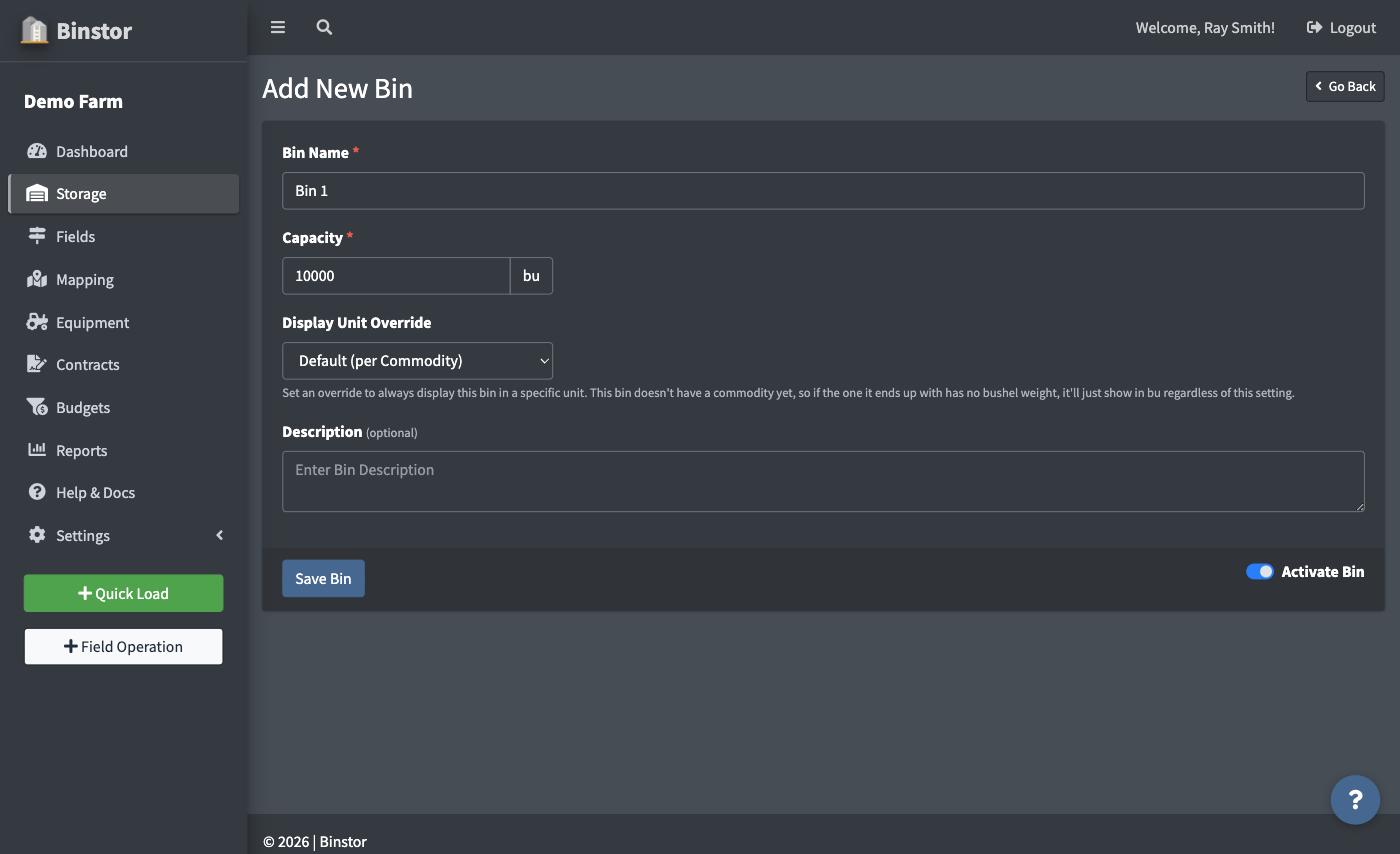
Give it a name and capacity. Display Unit Override lets this one bin always show in a specific unit (bu, MT, ST, kg, cwt, or lb) regardless of what its commodity is set to elsewhere. Leave it on Default to just inherit the commodity's own unit instead. A brand-new bin has no commodity yet (that's set by its first Load), so if you do set an override now and the commodity it ends up with turns out to have no Bushel Weight on file, it'll just display in bu until one's added.
-
Save. New bins start empty until you record a load.

Reordering Bins
On a Yard's Bin list, use Order Bins to drag bins into the order you want them to display in.

Deactivating a Bin
Like Yards, Bins can be deactivated rather than deleted. Toggle Show Deactivated Bins to see or reactivate them. A deactivated Bin and any grain still in it are left out of your Dashboard and Yard totals and your reports, so empty a Bin before you deactivate it. If the Bin still holds grain when you save, you'll be asked to confirm. A deactivated Bin can't take new loads or notes until you reactivate it.

Changing a Bin's Capacity
You can edit a Bin's capacity at any time. If the new capacity is lower than the grain the Bin currently holds, you'll be asked to confirm before it saves.
Grain Sources
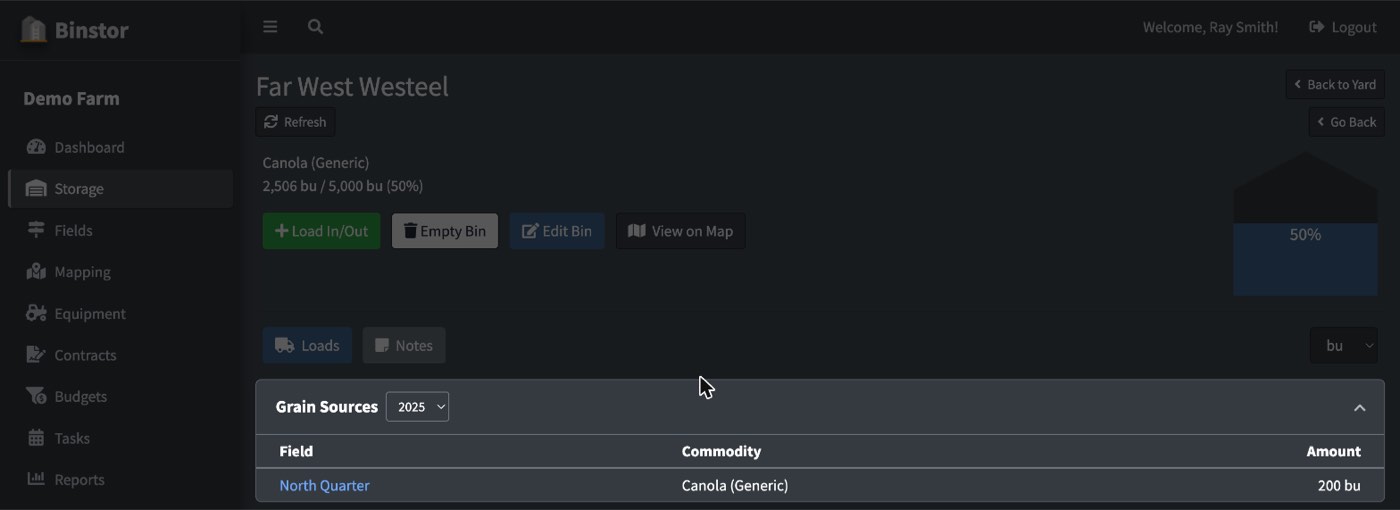
If any Load into this bin has been tagged to a Field (see Adding a Load (In & Out)), a Grain Sources card appears on the Bin's page breaking down how much of what's currently in it came from which Field, per commodity. Its own year switcher is separate from the crop-year selector used elsewhere, since a bin can hold grain loaded in across more than one season. The card only shows up once at least one Load into this bin has ever been tagged; it won't appear (or will show as empty for a given year) otherwise.
FAQ
Can a bin hold more than one commodity?
No, a bin is locked to a single commodity once it holds grain, and stays locked until it's fully emptied. Use Empty Bin to clear it out before loading a different commodity in. See Adding a Load (In & Out) for how Empty Bin works.
Why can't I add or edit Bins?
You need the Manage Yards/Bins permission, the same one that gates Yards.
How does a Bin's unit override interact with a commodity's default unit?
A commodity has its own Default Storage/Contract Unit (set under Managing Commodities) that every bin holding it uses unless that specific bin has its own override set. So most bins can be left on "Default" and just follow whatever the commodity says. The override is for the rare bin you want to always view differently than the rest, e.g. one bin you specifically track in metric while everything else stays in bushels.