How-To
The Crop Plan is where you budget out expected costs and revenue per commodity for the crop year, so you can see projected income before the season plays out.
Add Crop Plan
-
Go to Budgets and click into Crop Plan.

-
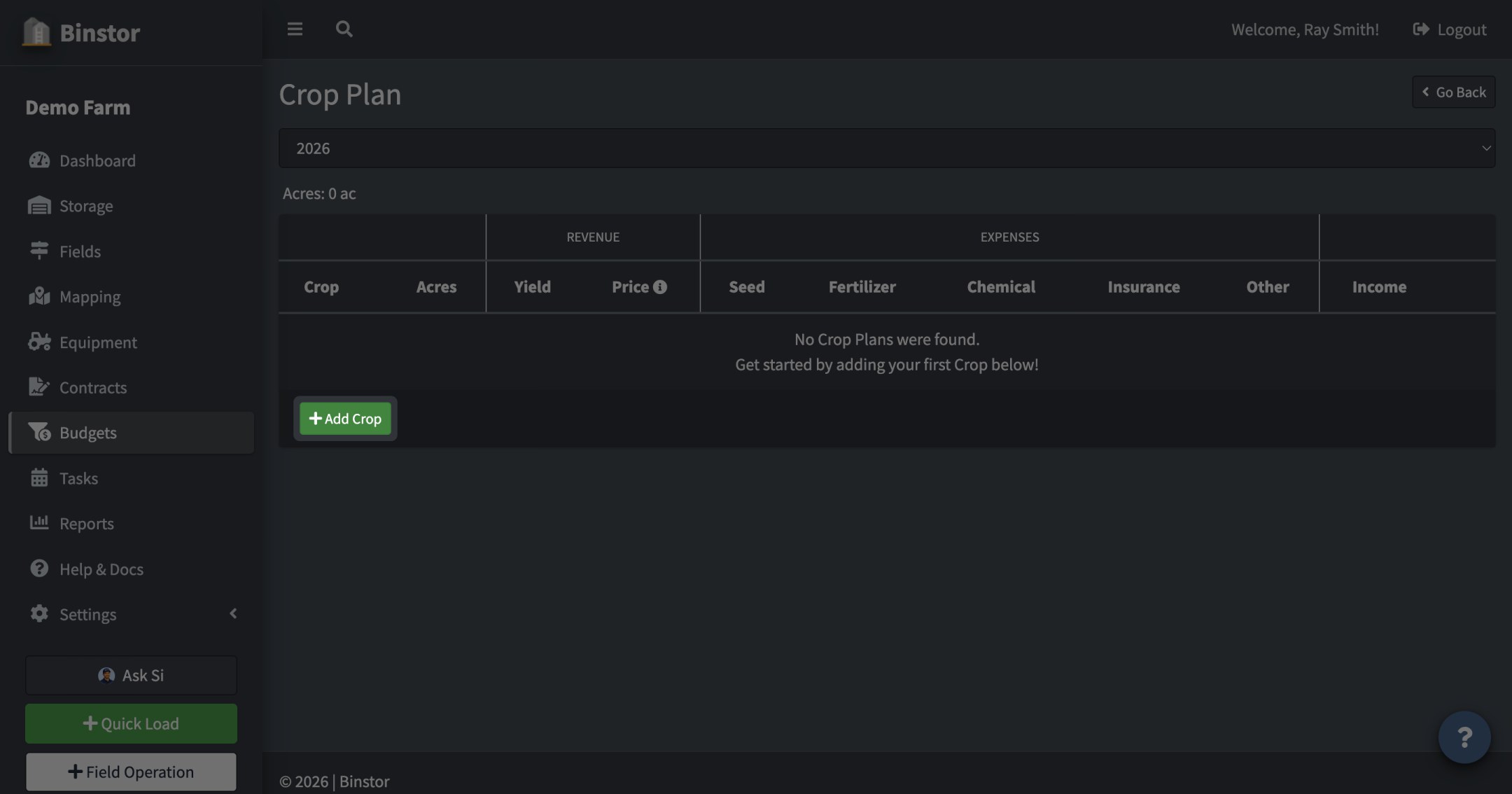
On the Crop Plan page, click Add Crop to add a commodity to the plan.
-
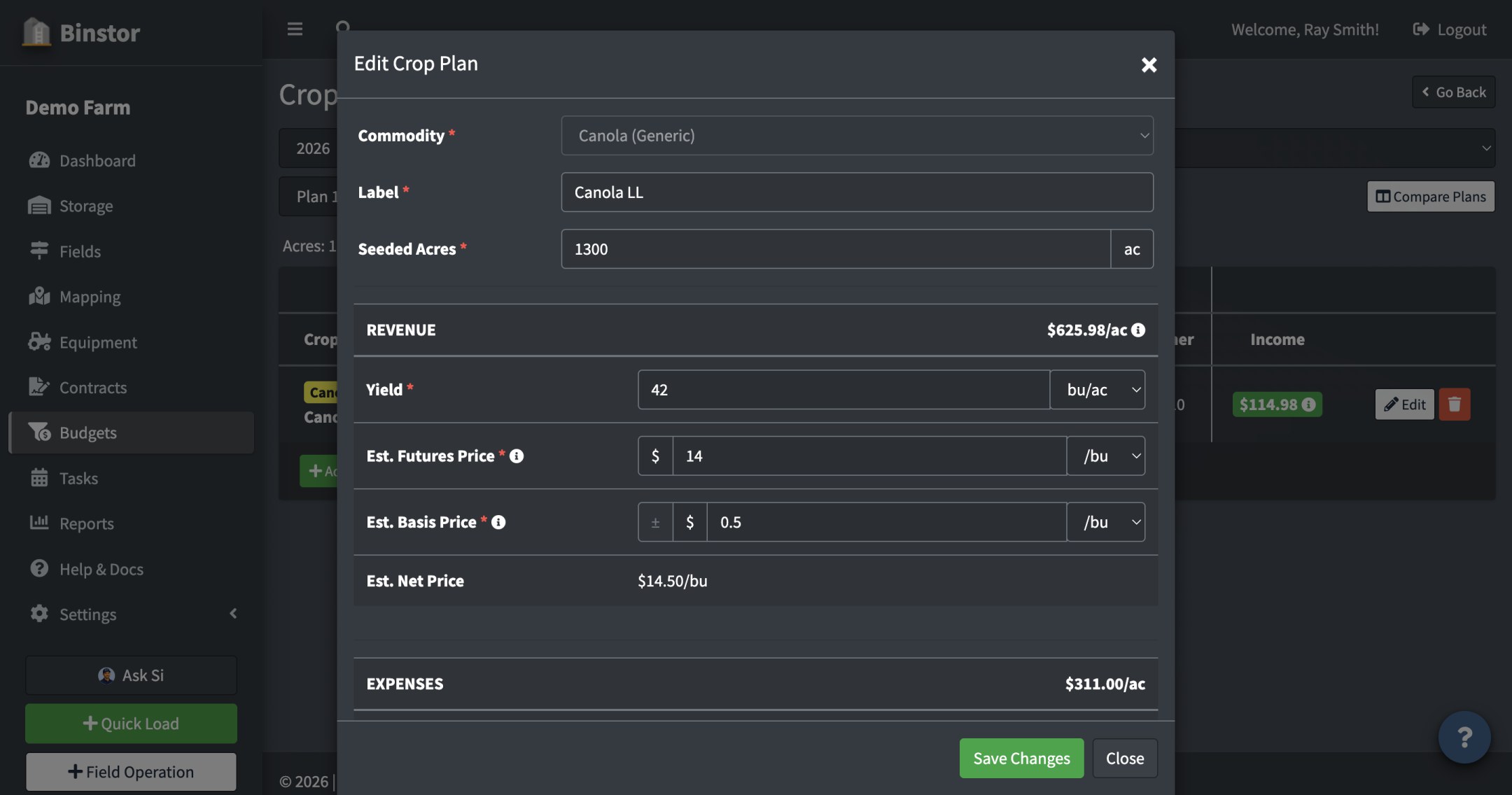
Set acres, expected yield, and an Estimated Price (Futures + Basis), then fill in cost line items: seed, fertilizer, chemical, insurance, and other expenses. Fixed costs (equipment, land, overhead) are managed separately and get folded into each crop's per-acre income calculation.
Yield and Price each have their own unit dropdown, independent of one another. Yield starts out in the commodity's Default Yield Unit, Price in its Default Storage/Contract Unit (both set under Managing Commodities), and switching one doesn't change the other. That's why it's normal to see, say, yield in lb/ac next to a price in $/MT. Basis Price is commonly negative; use the ± button next to it to flip the sign instead of typing a minus.
-
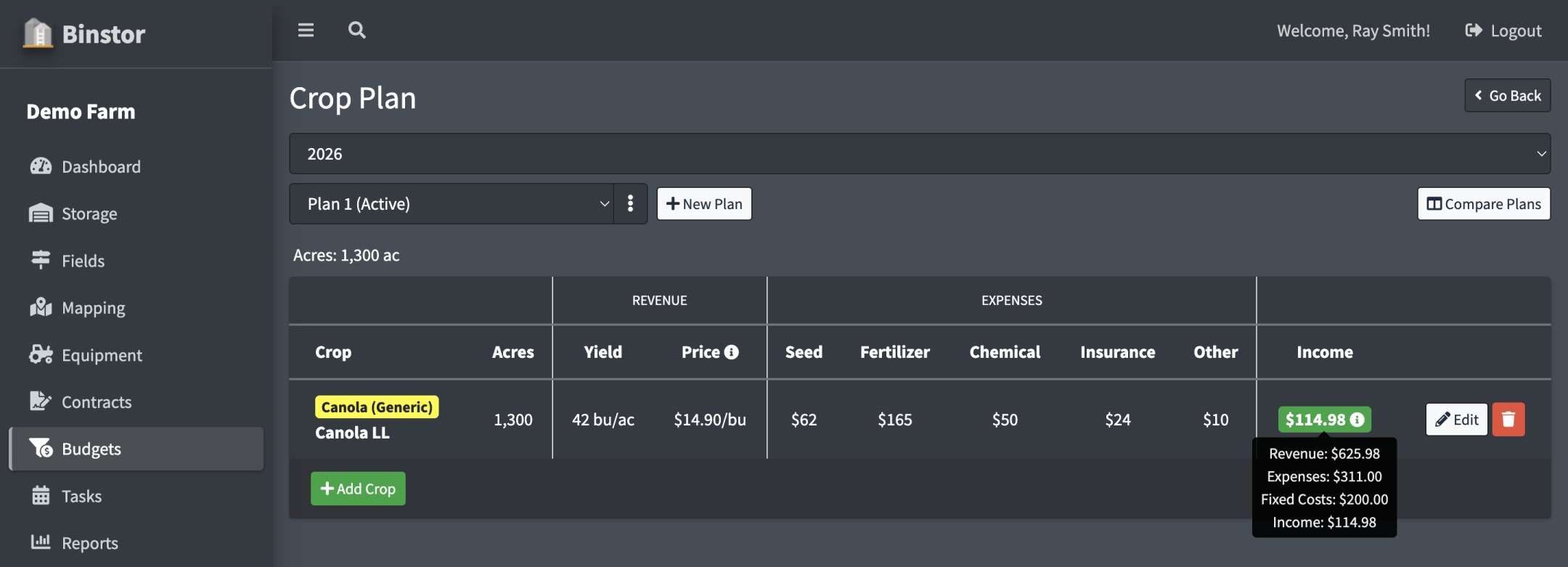
The Income column shows projected per-acre income after expenses and fixed costs. Hover it for a breakdown of Revenue / Expenses / Fixed Costs.
-
Edit or delete a crop plan line at any time as your numbers firm up through the season.
If last year's Crop Plan has data and this year's doesn't yet, an Auto-Fill from Last Year button appears; use it to copy last year's crop lines into the current year as a starting point instead of building the plan from scratch. This is separate from the same-named button on Fixed Costs, which only copies Fixed Cost figures.
The Price column isn't just your Estimated Price sitting there unchanged. It already blends in your farm's real Contract sales for that commodity as they happen, weighted against your Estimated Price for whatever's still left to sell. So Price (and the Income figure built from it) update automatically as you sell, with no extra step. See Profitability for the same live numbers rolled up to total dollars for the year, plus break-even figures Crop Plan doesn't show.
Compare Plans
You can keep up to 4 plans for the same crop year, for example "1,000 acres of Canola" next to "1,000 acres of Wheat", and compare them before you commit. Each plan has its own crops and its own Fixed Costs.
-
Use the plan dropdown above the crops to switch plans. The plan that feeds the Dashboard and your Reports has (Active) after its name.
-
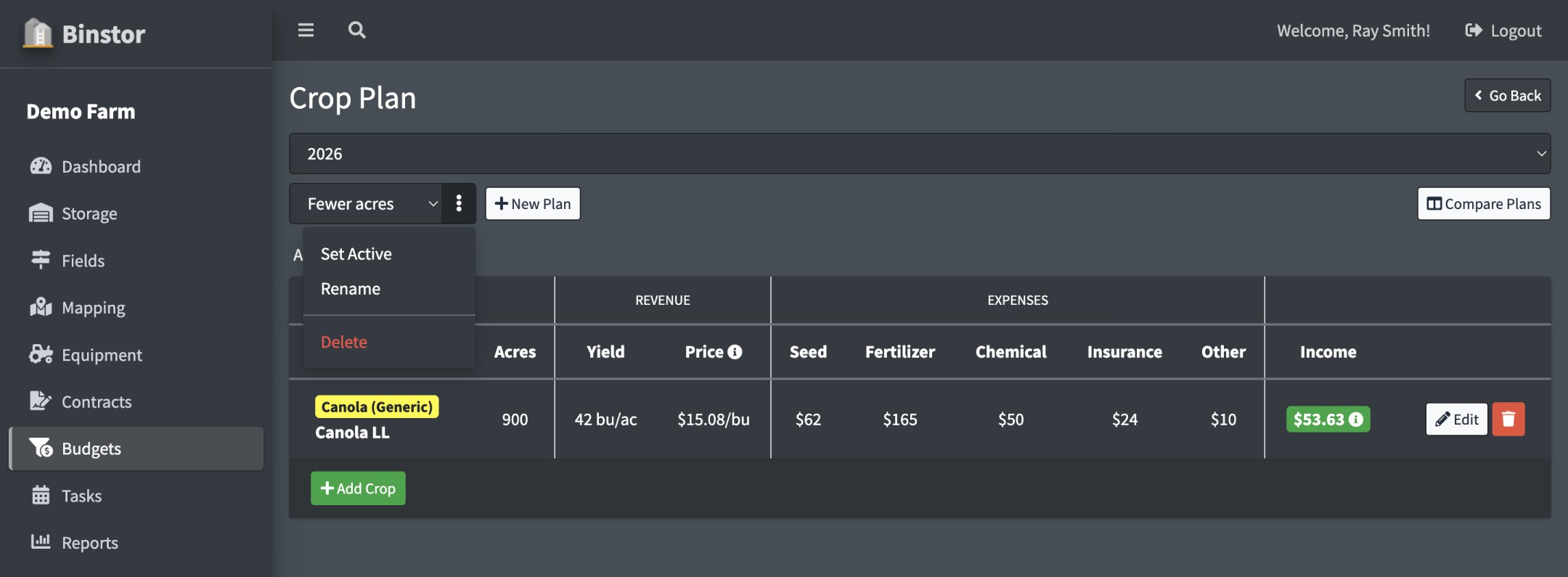
Click New Plan to start another plan. It begins as a copy of the plan you are viewing (crops and Fixed Costs), so you only change what is different. Give it a name, or leave it blank for "Plan 2".
-
Click Set Active on a plan to make it the one the Dashboard and Reports use. Only one plan per year is Active, and the Active plan can't be deleted. Rename and Delete are there too.
-
Click Compare Plans to see two plans side by side: acres, revenue, expenses, fixed costs, and net income, plus a by-crop breakdown. Pick any two plans from the dropdowns at the top of each column. Click the caret beside Acres, Revenue, Crop Expenses, or Fixed Costs to open the line items behind that total and see where the two plans differ.
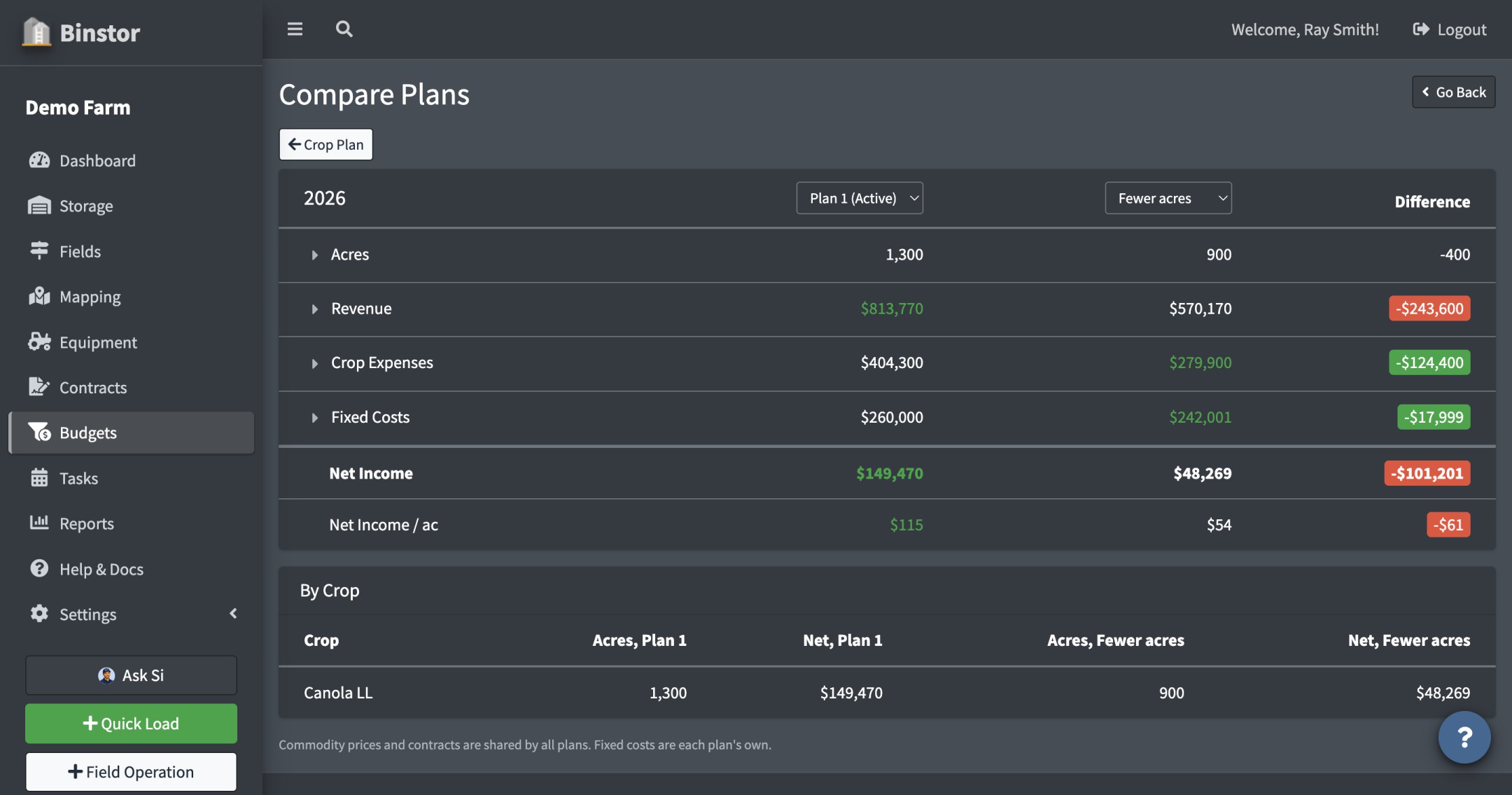
Fixed Costs and Profitability follow the plan you picked, so you can enter a lower loan payment for a plan with fewer acres. Commodity prices and Contracts are shared by every plan, since they describe the real world, not a what-if. Si and the API work with the Active plan.
FAQ
Why can't I add or edit the Crop Plan?
You need the Manage Crop Plan permission; a staff account may have view-only access to Budgets.
Which plan do the Dashboard and Reports use?
The Active plan, the one with (Active) after its name. Switching plans on the Budgets pages only changes what you are looking at there. To change what the Dashboard and Reports use, click Set Active.
Where do Fixed Costs come from?
Fixed Costs are entered separately (not per-crop) and get spread across your crop plan lines to calculate each crop's true per-acre income. Check with whoever set up your Fixed Costs if the income numbers look off.
Why do Yield and Price show in different units?
They're two independent settings on the commodity (Default Yield Unit and Default Storage/Contract Unit, see Managing Commodities), so they don't have to match. You can still switch either one's dropdown on a single Crop Plan line without changing the commodity's default for next time.
Does the Crop Plan use actual harvested numbers or my estimates?
Acres and yield are what you enter as a budget/estimate. They're separate from actual Field Operations (like harvest) logged under Fields, and aren't automatically kept in sync, since a budget is meant to be a projection you set ahead of the season. Price is the exception: it isn't a static estimate once you start selling. See the note above about how it blends in real Contract sales automatically.