How-To
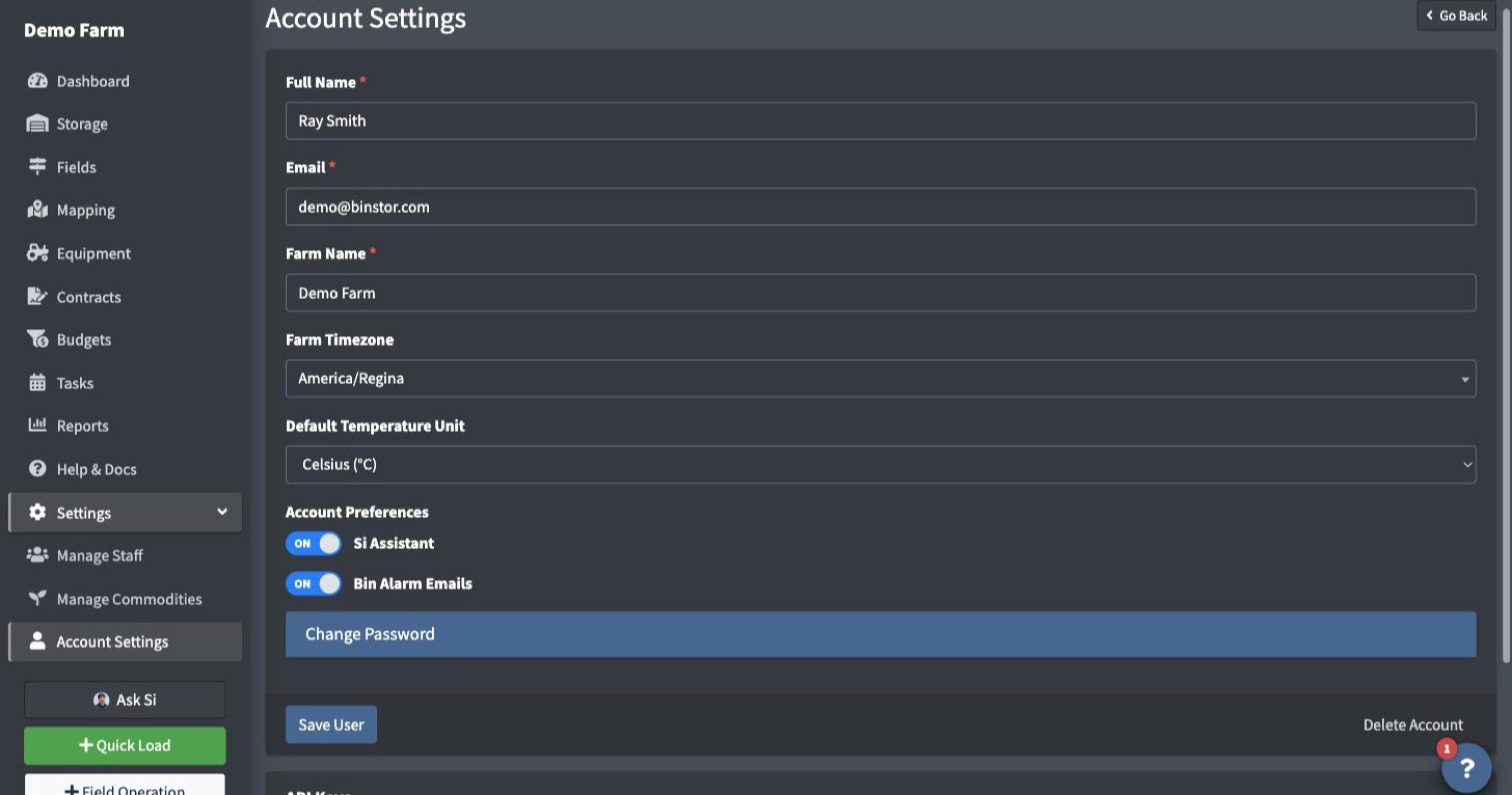
Account Settings (top-right account menu, or Settings in the sidebar) is where you manage your own login, separate from any permissions a farm owner has set for you.
-
Update your Full Name or Email as needed.
-
Farm owners also see a Farm Name field here, along with a searchable Farm Timezone dropdown. Setting your timezone makes sure Task reminders and overdue detection line up with your farm's own local time instead of the server's.
-
Farm owners also see a Si Assistant switch. Turn it off to disable Si for your whole farm, staff included. Nothing is sent to it while it's off. See Ask Si.
-
Under API Keys you can see, and revoke, keys tied to your own login. Issuing new keys requires Manage Staff permission. See Devices & API Keys.
-
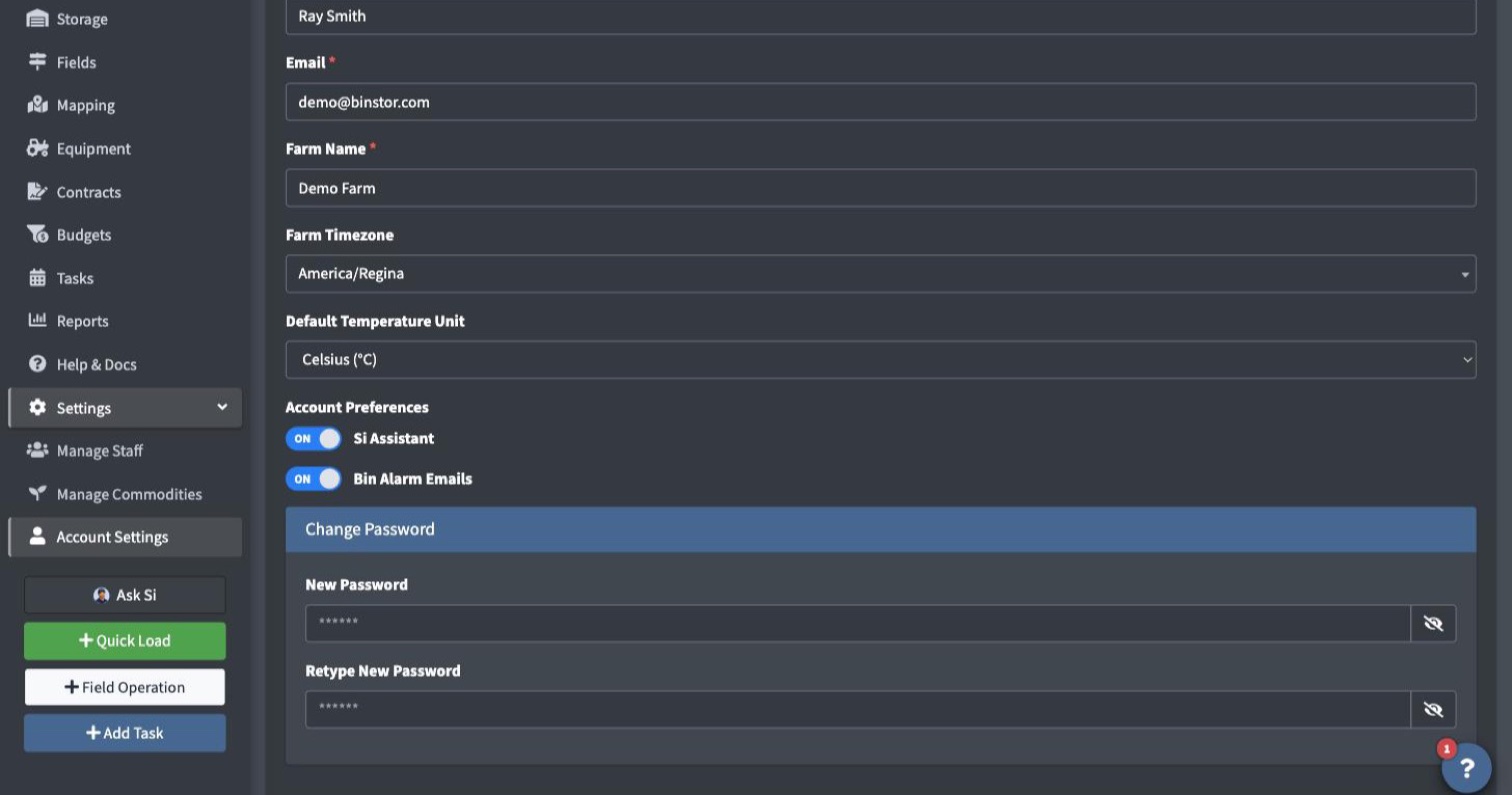
To change your password, open Change Password and enter your new password in New Password and Retype New Password. Leave both blank to keep your current password.
-
Click Save User.
This page only ever affects your own login. It doesn't show your Role or Permissions, since those are managed by a farm owner under Staff, not here.
FAQ
I work on more than one farm. Does changing my name/email here affect both?
Yes. Your name, email, and password are tied to your login, not to any one farm. Changing them here updates them everywhere you have access.
Why can't a farm owner change my email for me?
If your login is shared across multiple farms, farm owners are blocked from editing your name/email directly (to avoid one farm's admin changing something that affects your access elsewhere); you're the only one who can change those, from this page.
I tried to change my email and got an error that it's already in use.
That email is already tied to a different Binstor account. Use a different one, or reach out if you believe that's a mistake.
I forgot my password and I'm logged out. What do I do?
Use the "Forgot Password" link on the login page rather than Account Settings; this page only works once you're already logged in.
I'm staff and I don't see a Farm Timezone field.
Only the farm owner can set it, since it's a farm-wide setting, not a per-login one. If your farm's timezone hasn't been set yet, you may see a notice about it on the Tasks page; that's a nudge for the owner, not something you need to act on.
How do I delete my account?
At the bottom of Account Settings, click Delete My Account, read the confirmation, enter your password and confirm. You are signed out right away and can't log in again. Your account and all of its data are permanently deleted within 7 days. Farm owners' farm data is deleted too.